Development Resources
GitHub Actions
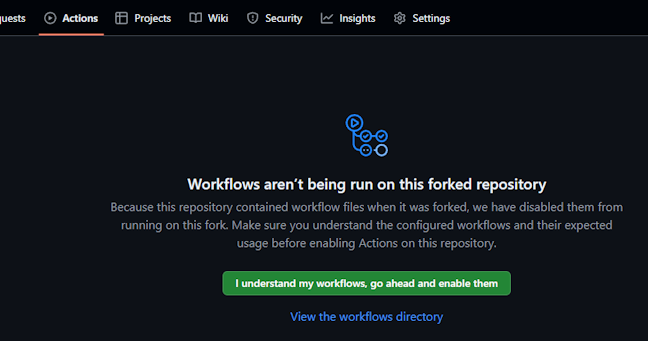
There are a few GitHub Actions workflows configured on the repository. GitHub actions do not run on forks by default, so if you wish to utilise them you will need to enable them. You can do this by going to the Actions tab on your fork. Depending on the job trigger, you can either see the status of workflows from the Actions tab of your fork or from the indicator on the commit. Most push triggered actions are set to abort if a subsequent push is made while they are still running.
Smoke Tests - Push to Feature Branches
Pushes to branches that are not stable or nightly will trigger a build and test job on all supported flavours of Python (3.8-3.11 at time of writing) on both Linux and Windows hosts. Testing is currently just a smoke test to check that Mylar launches and loads each page.
Docker - Build & Publish Feature Container
Another job triggered on pushes to feature branches, this will build a Docker image from the branch based on the LinuxServer.io image. The image will be pushed to the GitHub Container Repository and you can see these under the Packages section on your fork. An additional port is exposed in the image and can be mapped (5678) for the container. This port will enable you to attach to debugpy running Mylar within the container.
Here is an example launch.json configuration to attach to this container from VS Code. Replace docker.container.address with the address where your hosted container can be reached.
{
    "configurations": [
        {
            "name": "Attach Debugger: Docker Container",
            "type": "debugpy",
            "request": "attach",
            "connect" : {
                "host" : "docker.container.address",
                "port" : 5678
            },
            "pathMappings": [
                {
                    "localRoot": "${workspaceFolder}",
                    "remoteRoot": "/app/mylar3"
                }
            ]
        },
    ],
}
pytest Runs
Runs of the tests in the project are not currently triggered automatically, but can be initiated manually from the Actions tab. Tests will be run on both Linux and Windows, on the minimum and maxiumum supported Python versions.
pytest Test Suite
The pytest test suite can be found under the /tests folder in the repository. A README.md file in the folder contains details of how to set up the tests.
The test suite is not currently exhaustive and is being built up over time. It is not mandatory to add to it with changes, but it would be nice to do so if any new functions/classes/methods/modules are introduced!
Development Containers
The .devcontainer path contains configuration for a Dev Container setup. The dev container definition will automatically add a launch configuration in VS Code to use with the container. Using this extension should automatically detect the presence of the dev container configuration and offer to build and launch it. Docker (or Docker Desktop) is required. By default, the container maps volumes for downloads, config, and comics into subfolders of .devcontainer.